On this page
- Introduction
- What You Will Learn About API Error Handling
- 1. Start with the Reader’s Experience
- 2. JavaScript API Error Handling with Fetch
- 3. Define the Data Contract
- 4. Add the HTML
- 5. Implement JavaScript API Error Handling
- 6. Understand the Responsibility of Each Function
- 7. JavaScript API Timeouts and Error Handling
- 8. Do Not Guess the Cause of Every Failure
- 9. JavaScript API Error Handling with Manual Retries
- 10. Render Titles as Text
- 11. Testing JavaScript API Error Handling
- 12. Extend Carefully for Pagination and Filters
- Practice: Build Your Own Failure Scenarios
- Conclusion
Introduction
JavaScript API error handling helps a news feed explain failed requests instead of leaving readers with a blank screen. In this tutorial, we will build clear loading, success, empty, and error states using HTML and vanilla JavaScript.
A news application has a simple responsibility: help people find and read the news.
But what happens when its API stops responding?
A blank screen leaves the reader guessing. Are there no articles? Is the page still loading? Should they refresh?
For Nevipe, my Roma news aggregator project, this is a useful frontend problem to explore. The interface needs to communicate what happened and give the reader a clear next step.
In this tutorial, we will build a small news feed with explicit loading, success, empty, and error states.
We will use HTML and vanilla JavaScript.
About this example: This is an educational implementation inspired by Nevipe. It is not a report of a verified production incident or a change already deployed to the project. The response structure is an example contract that must be checked against the actual API before integration.
What You Will Learn About API Error Handling
By the end of this article, you should understand how to:
- Distinguish an empty response from a failed request.
- Check HTTP responses before reading their data.
- Validate the JSON structure your interface depends on.
- Limit waiting time with
AbortController. - Offer a manual retry without overlapping requests.
- Display API content as text.
- Plan tests for failure scenarios.
You should already be comfortable with functions, DOM selectors, and basic async and await.
1. Start with the Reader’s Experience
Imagine opening the news page and waiting.
The API might return HTTP 503. The connection might fail. Or the response might arrive with an unexpected format.
These failures have different technical causes, but the interface has the same immediate responsibility: explain that the news could not be loaded.
Before writing the request code, define the states.
| State | Meaning | Interface |
|---|---|---|
| Loading | A request is active | Loading message |
| Success | A valid list contains articles | Article cards |
| Empty | A valid list contains no articles | Empty-state message |
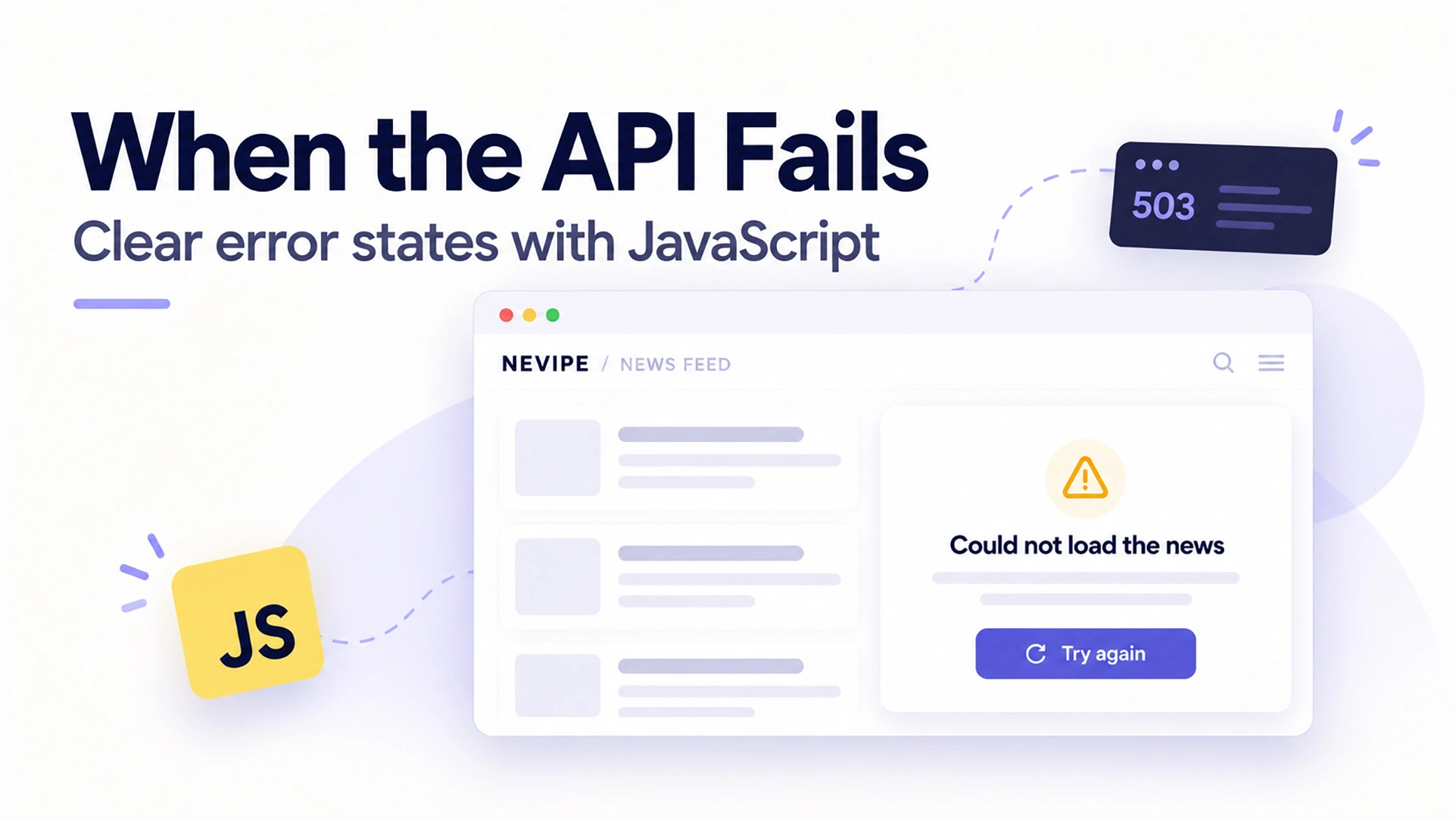
| Error | No usable response was obtained | Error message and retry button |
An empty list, however, is valid data.
A failed request means we do not know what the list contains.
Treating both as “No news found” gives the reader incorrect information.
2. JavaScript API Error Handling with Fetch
A first implementation might look like this:
const response = await fetch(API_URL);
const data = await response.json();

renderNews(data.items);
This describes the successful path, but it leaves several questions unanswered.
What if the server returns HTTP 503?
Another possibility is an HTML error page instead of JSON.
Even when the response contains valid JSON, the expected items array might be missing. ?
The Fetch API does not reject a promise simply because the HTTP response has an error status. We need to check response.ok ourselves.
In addition, reading the response body can fail.
Our request function therefore needs to check:
- Whether the HTTP response was successful.
- Whether its body can be parsed as JSON.
- Whether the parsed data matches the expected structure.
Reference: MDN — Using the Fetch API.
3. Define the Data Contract
For this tutorial, assume the API returns:
{
  "items": [
    {
      "id": 123,
      "title": "An example news headline"
    }
  ]
}
We only need the title to demonstrate error handling.
The important requirements are:
- The response contains an
itemsarray. - Every item contains a title as a plain string.
This is an illustrative response, not fallback news.
If the actual Nevipe API uses another structure, adapt the parsing function to that verified structure.
4. Add the HTML
Create an HTML page containing this section:
<section aria-labelledby="news-heading">
  <h1 id="news-heading" tabindex="-1">Latest news</h1>

  <p id="news-status" role="status"></p>

  <button id="news-retry" type="button" hidden>
    Try again
  </button>

  <div id="news-list" aria-busy="false"></div>

  <noscript>
    JavaScript is required to load this news feed.
  </noscript>
</section>

<script src="news.js" defer></script>
The status message sits outside the news list so that updates do not require replacing the entire section.
The retry control is a native button.
The heading has tabindex="-1" so we can move focus to it when a successful retry removes the focused button.
These choices support accessibility, but they still need keyboard and screen reader testing.
5. Implement JavaScript API Error Handling
This JavaScript API error handling example separates the request, data validation and interface updates so each failure has a clear outcome.
Save the following code in news.js.
The API address below follows the endpoint used in the Nevipe project. Its availability, allowed origins, and response format must be verified before using this example against the live service.
const API_URL =
  'https://api.nevipe.com/wp-json/nevipe/v1/feed?page=1&per_page=12';

const REQUEST_TIMEOUT_MS = 10_000;

const heading = document.querySelector('#news-heading');
const statusElement = document.querySelector('#news-status');
const retryButton = document.querySelector('#news-retry');
const newsList = document.querySelector('#news-list');

let isLoading = false;

class NewsError extends Error {
  constructor(kind, status = null) {
    super(kind);

    this.name = 'NewsError';
    this.kind = kind;
    this.status = status;
  }
}

function parseNews(data) {
  if (!data || !Array.isArray(data.items)) {
    throw new NewsError('invalid-data');
  }

  const hasInvalidItem = data.items.some((item) => {
    return !item || typeof item.title !== 'string';
  });

  if (hasInvalidItem) {
    throw new NewsError('invalid-data');
  }

  return data.items;
}

async function requestNews(url) {
  const controller = new AbortController();

  const timeoutId = setTimeout(() => {
    controller.abort();
  }, REQUEST_TIMEOUT_MS);

  try {
    const response = await fetch(url, {
      signal: controller.signal
    });

    if (!response.ok) {
      throw new NewsError('http', response.status);
    }

    const data = await response.json();

    return parseNews(data);
  } catch (error) {
    if (error.name === 'AbortError') {
      throw new NewsError('timeout');
    }

    if (error instanceof NewsError) {
      throw error;
    }

    if (error instanceof SyntaxError) {
      throw new NewsError('invalid-json');
    }

    throw new NewsError('request-failed');
  } finally {
    clearTimeout(timeoutId);
  }
}

function getErrorMessage(error) {
  if (error.kind === 'timeout') {
    return 'Loading took too long. Please try again.';
  }

  if (error.kind === 'http' && error.status === 429) {
    return 'Too many requests. Please wait before trying again.';
  }

  return 'We could not load the news. Please try again.';
}

function renderNews(items) {
  const fragment = document.createDocumentFragment();

  for (const item of items) {
    const article = document.createElement('article');
    const title = document.createElement('h2');

    title.textContent = item.title.trim() || 'Untitled article';

    article.append(title);
    fragment.append(article);
  }

  newsList.replaceChildren(fragment);
}

async function loadNews() {
  if (isLoading) return;

  isLoading = true;

  retryButton.disabled = true;
  newsList.setAttribute('aria-busy', 'true');
  statusElement.textContent = 'Loading news…';

  try {
    const items = await requestNews(API_URL);

    renderNews(items);

    statusElement.textContent = items.length
      ? `Loaded ${items.length} articles.`
      : 'No news matches the selected filters.';

    if (document.activeElement === retryButton) {
      heading.focus();
    }

    retryButton.hidden = true;
  } catch (error) {
    statusElement.textContent = getErrorMessage(error);
    retryButton.hidden = false;

    console.error('News loading failed.', {
      kind: error.kind || 'unexpected',
      status: error.status ?? null
    });
  } finally {
    isLoading = false;

    retryButton.disabled = false;
    newsList.setAttribute('aria-busy', 'false');
  }
}

retryButton.addEventListener('click', loadNews);

loadNews();
This implementation covers initial loading and manual retries. It does not implement pagination, changing filters, or automatic retries.
6. Understand the Responsibility of Each Function
The code is divided into small functions with separate responsibilities.
| Function | Responsibility |
|---|---|
requestNews() |
Request and read the response |
parseNews() |
Validate the expected data structure |
renderNews() |
Create the article elements |
getErrorMessage() |
Choose the reader-facing message |
loadNews() |
Coordinate the interface states |
If the API format changes, parseNews() is the first place to inspect.
If article cards need images or source names, update the rendering after verifying those fields.
Keeping these responsibilities separate makes the example easier to understand and extend.
7. JavaScript API Timeouts and Error Handling
A loading state should not leave the reader waiting indefinitely.
In this example, a timer calls controller.abort() after ten seconds.
The timer remains active while the response body is being read. Receiving the response headers does not necessarily mean the complete body has arrived.
The finally block clears the timer regardless of the outcome.
Ten seconds is a demonstration setting. Choose a timeout based on your application’s requirements and observed response times.
Aborting the browser’s request does not guarantee that the server stops processing it.
Reference: MDN — AbortController.
8. Do Not Guess the Cause of Every Failure
A failed request does not necessarily mean the reader has lost their internet connection.
Possible causes include:
- Network interruption.
- DNS or TLS failure.
- Server unavailability.
- Browser restrictions such as CORS.
Our general message says:
We could not load the news. Please try again.
It explains what the application could not do without guessing why.
When a request is blocked by CORS, inspect the browser console and the server’s configuration.
Adding mode: 'no-cors' does not make the JSON readable. It can produce an opaque response whose body is unavailable to your script.
Reference: MDN — Cross-Origin Resource Sharing.
9. JavaScript API Error Handling with Manual Retries
After a failed request, the retry button calls the same loading function again.
The isLoading guard prevents this function from starting another request while one is active. Disabling the button also communicates that the application is working.
This only controls requests from this interface. It is not server-side rate limiting.
The example deliberately uses manual retries.
If you later add automatic retries, define:
- Which failures are retryable.
- The maximum number of attempts.
- The delay between attempts.
- How to respect a server’s
Retry-Afterresponse.
For HTTP 429, the current example asks the reader to wait. It does not implement an enforced cooldown.
10. Render Titles as Text
The example assigns the headline through textContent:
title.textContent = item.title.trim() || 'Untitled article';As a result, the browser treats the title as text rather than interpreting it as HTML.
The data contract therefore expects plain text.
If your API returns encoded entities or HTML markup, define a deliberate conversion strategy. Do not switch to innerHTML just to make formatting appear.
Real news cards will also need fields such as the source, publication time, image, and destination URL. Add those after confirming their format and validation requirements.
11. Testing JavaScript API Error Handling
However, a successful request is only one scenario.
Testing JavaScript API error handling means checking what readers see when requests fail, responses arrive late or the server returns unexpected data.
Use a local test server or controlled mocks to produce the responses below.
| Scenario | Expected result |
|---|---|
| Valid response with two articles | Two article cards |
Valid response with items: [] |
Empty-state message |
| HTTP 503 | Error message and retry button |
| HTTP 429 | Message asking the reader to wait |
| HTTP 200 with malformed JSON | Error message |
HTTP 200 with items: null |
Error message, not an empty state |
| Response delayed beyond ten seconds | Timeout message |
| Network disabled before loading | Error message |
| Network restored, followed by retry | Articles load |
| Repeated clicks while loading | One active request from this function |
Blocking a request in DevTools does not simulate an HTTP 503 response. Use a controlled HTTP response to test status handling.
If a service worker is active, check whether it serves cached data during offline testing.
Also test with a keyboard and screen reader:
- Can you reach and activate the retry button?
- Is the status update understandable?
- Does focus remain in a useful place after success?
This table is a verification plan, not a claim that these tests have been completed on Nevipe.
12. Extend Carefully for Pagination and Filters
So far, the example handles a single initial feed.
“Load more” requires different behavior.
If the reader already sees twelve articles, a failed request for the next page should preserve them. Place the retry message near the load-more control and advance the page number only after success.
Filters introduce another concern: responses can arrive in a different order from their requests.
A slow response for an old category must not replace the results for the currently selected category.
For that interface, cancel obsolete requests or ignore responses that no longer match the active request.
The simple loading guard in this tutorial does not solve that problem.
Practice: Build Your Own Failure Scenarios
Start with the HTML and JavaScript from this article.
Then connect them to a controlled endpoint and complete these tasks:
- Return two valid articles.
- Return an empty list.
- Return HTTP 503.
- Return malformed JSON.
- Delay the response beyond ten seconds.
- Restore a successful response and use the retry button.
For each scenario, explain which branch of the code runs and what the reader sees.
As an extension, implement a separate error state for a load-more request while preserving the existing articles.
Conclusion
JavaScript API error handling belongs in the design of a frontend application, alongside its successful loading path.
A clear interface distinguishes an empty result from an unavailable response, limits waiting time, and gives the reader a useful next step.
The example in this article provides a starting point for that behavior. Connecting it to Nevipe still requires checking the real response contract and testing the integration.
Frontend error handling cannot fix an unavailable server. It can make the experience understandable while the underlying problem is investigated.
Design the failure path with the same care as the successful one.
Read
Build
Complete the failure-scenario exercise above, then extend the example with pagination that preserves existing articles when a request fails.
For more on the markup used in this example, read Semantic HTML: A Practical Guide. You can also browse my web development articles for more practical tutorials.
ARTICLE FEEDBACK
Was this article helpful?
Your feedback helps me improve future tutorials.
Rate this article
Starting the form stores a browser identifier for one year so you can update or delete your vote. Feedback is anonymous; please do not include personal information.
These scores reflect reader opinions, not an objective readability or accuracy test.