
On this page
Introduction
Semantic HTML means choosing elements that describe the purpose of your content. Instead of using generic containers everywhere, you can give your pages a clearer structure with meaningful HTML elements.
The elements we choose communicate more than visual appearance. They help explain how a document is organised and what each part is for.
In this guide, you’ll learn why semantics matter and how to apply them through practical examples, common mistakes and a small practice challenge.
What Is Semantic HTML?
Semantic HTML means using HTML elements according to their intended meaning.
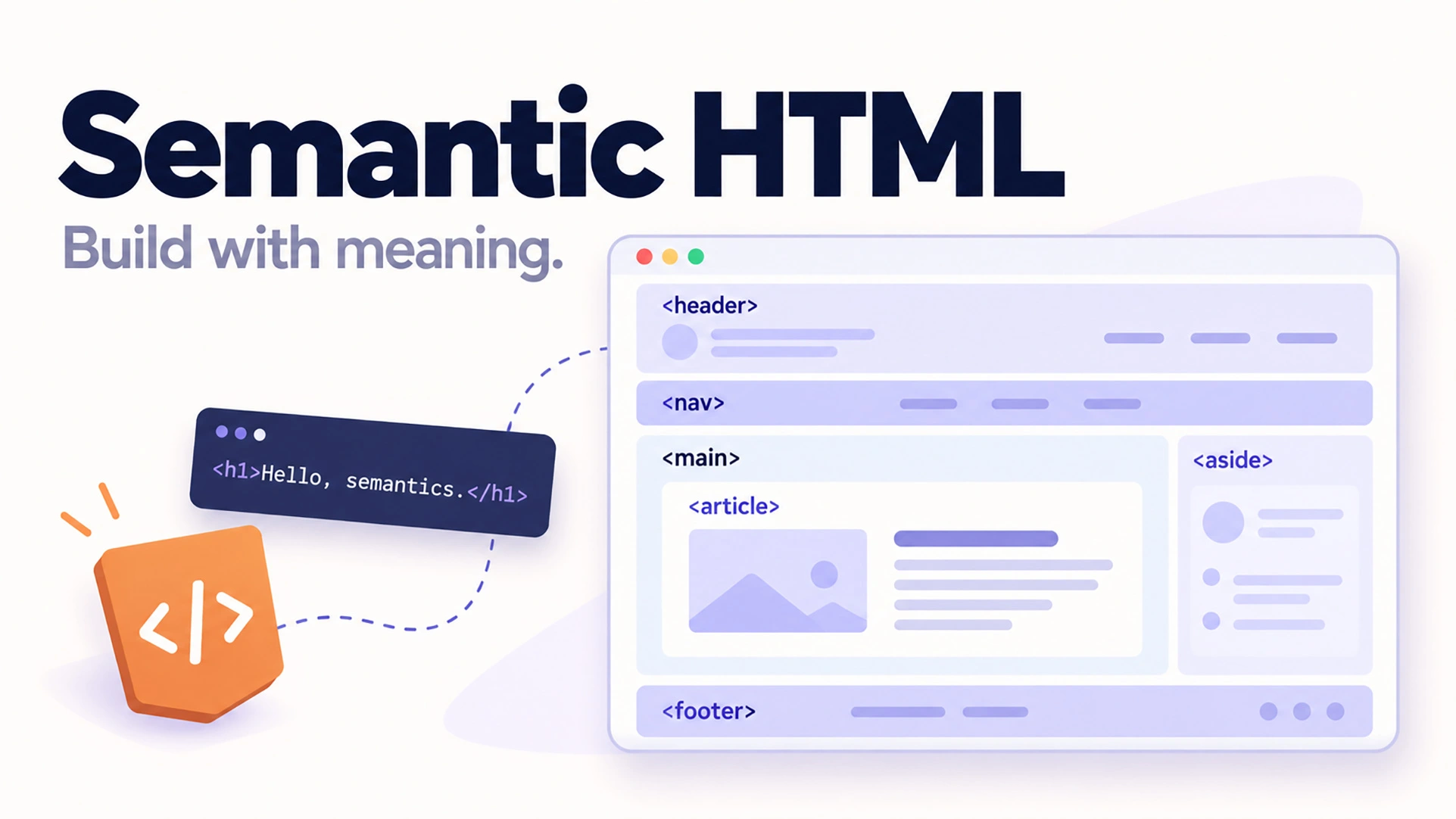
For example, instead of using a generic div for every part of a page, we can use elements such as:
<header>for introductory content<nav>for navigation<main>for the primary page content<article>for self-contained content<section>for thematic groups of content<aside>for complementary information<footer>for footer information
These elements help developers understand the document structure and provide useful information to browsers and assistive technologies.
For another explanation, read MDN’s guide to semantics in HTML.
Why Is Semantic HTML Important?
1. Accessibility
Semantic HTML gives assistive technologies meaningful information about a page.
For example, a navigation landmark helps screen-reader users find navigation more easily.
Using native elements such as <button>, <a>, and <input> also provides built-in behavior that would otherwise require additional code.
2. Maintainability
A well-structured document is easier to read and maintain.
Compare a page containing dozens of generic <div> elements with one organized using <header>, <main>, <article>, and <footer>.
The semantic version communicates its purpose more clearly.
3. Search Engine Understanding
Semantic elements help describe the structure and relationships within a document.
However, semantic HTML alone does not guarantee higher search rankings. Content quality, relevance, technical SEO, and many other factors also matter.
4. Better Development Practices
Using the correct HTML elements reduces unnecessary custom behavior and encourages cleaner, more predictable implementations.
Semantic vs. Non-Semantic Elements
Consider a navigation menu made with a generic container:
<div class="navigation">
  <a href="/">Home</a>
  <a href="/blog/">Blog</a>
</div>
Although this code displays links, it does not explicitly identify the container as navigation.
A more meaningful version is:
<nav aria-label="Main navigation">
  <a href="/">Home</a>
  <a href="/blog/">Blog</a>
</nav>
The <nav> element communicates the purpose of the links, while the accessible label helps distinguish this navigation from other navigation regions.
Semantic HTML Elements Explained
The <header> Element
The <header> element represents introductory content for a page or a section.
It commonly contains a logo, heading, or navigation.
The <nav> Element
Use <nav> for major groups of navigation links.
Not every collection of links needs to be inside a <nav> element.
The <main> Element
The <main> element contains the primary content of the page.
A typical page should have one visible <main> landmark.
The <article> Element
Use <article> for self-contained content that could make sense independently, such as a blog post, news story, or forum discussion.
The <section> Element
Use <section> to group related content by theme. Sections generally benefit from a heading that describes their purpose.
For a wrapper used only for styling, a <div> may be more appropriate.
The <aside> Element
Use <aside> for content that is indirectly related to the surrounding content, such as a contextual sidebar.
The <footer> Element
The <footer> element represents footer information for a page or its nearest sectioning context.
Semantic HTML Example: A Blog Layout
<!DOCTYPE html>
<html lang="en">
<head>
  <meta charset="UTF-8">
  <meta name="viewport" content="width=device-width, initial-scale=1">
  <title>My Frontend Blog</title>
</head>
<body>
  <header>
    <a href="/">My Blog</a>

    <nav aria-label="Main navigation">
      <a href="/">Home</a>
      <a href="/blog/">Articles</a>
    </nav>
  </header>

  <main>
    <article>
      <header>
        <h1>Learning Semantic HTML</h1>
        <p>Published by Bajram Ramadan</p>
      </header>

      <section aria-labelledby="intro-heading">
        <h2 id="intro-heading">Introduction</h2>
        <p>
          Semantic HTML makes web content
          easier to understand and navigate.
        </p>
      </section>
    </article>
  </main>

  <footer>
    <p>Built with semantic HTML.</p>
  </footer>
</body>
</html>
This example creates a simple page structure without relying on generic containers for every major region.
Notice that the article has its own header, and the content section has a descriptive heading.
Common Semantic HTML Mistakes
Using a <div> for every element: Choose a semantic element when its meaning matches the content.
Using links as buttons: Use <a> for navigation and <button> for actions.
Skipping heading levels for appearance: Choose heading levels according to content hierarchy. Use CSS to control visual size.
Using <section> only for styling: If your container has no meaningful thematic purpose, consider using <div>.
Assuming semantics solve every accessibility issue: Semantic HTML is a strong foundation, but accessibility also requires keyboard usability, readable content, sufficient contrast, appropriate labels, and testing.
Practise Semantic HTML
Create a simple personal blog page using semantic HTML.
Your page should contain:
- A header with a site name.
- A navigation menu with three links.
- A main content area.
- Two blog articles with headings and paragraphs.
- A footer with copyright information.
Bonus challenge: Add a keyboard-accessible skip link that moves focus to the main content.
Conclusion
Semantic HTML is one of the simplest ways to improve the quality of your frontend development.
By choosing elements based on their meaning, you can create documents that are clearer for developers, more understandable to assistive technologies, and easier to maintain.
The next time you build a page, start with its content structure before thinking about visual styling.
Build with meaning, not just appearance.
Explore more examples and explanations in my web development articles.
ARTICLE FEEDBACK
Was this article helpful?
Your feedback helps me improve future tutorials.
Rate this article
Starting the form stores a browser identifier for one year so you can update or delete your vote. Feedback is anonymous; please do not include personal information.
These scores reflect reader opinions, not an objective readability or accuracy test.
Read. Build. Watch.
Keep exploring this topic with the available resources.